Your products, in your shoppers’ own rooms.
Shoppers upload a photo of their room and try your floors, tiles, paint, rugs and furniture in it, on your product pages. Then they compare, pick a size and add it to the cart.
Everything included. Nothing goes out without your approval. Or book a demo
One room. Everything you sell for it.
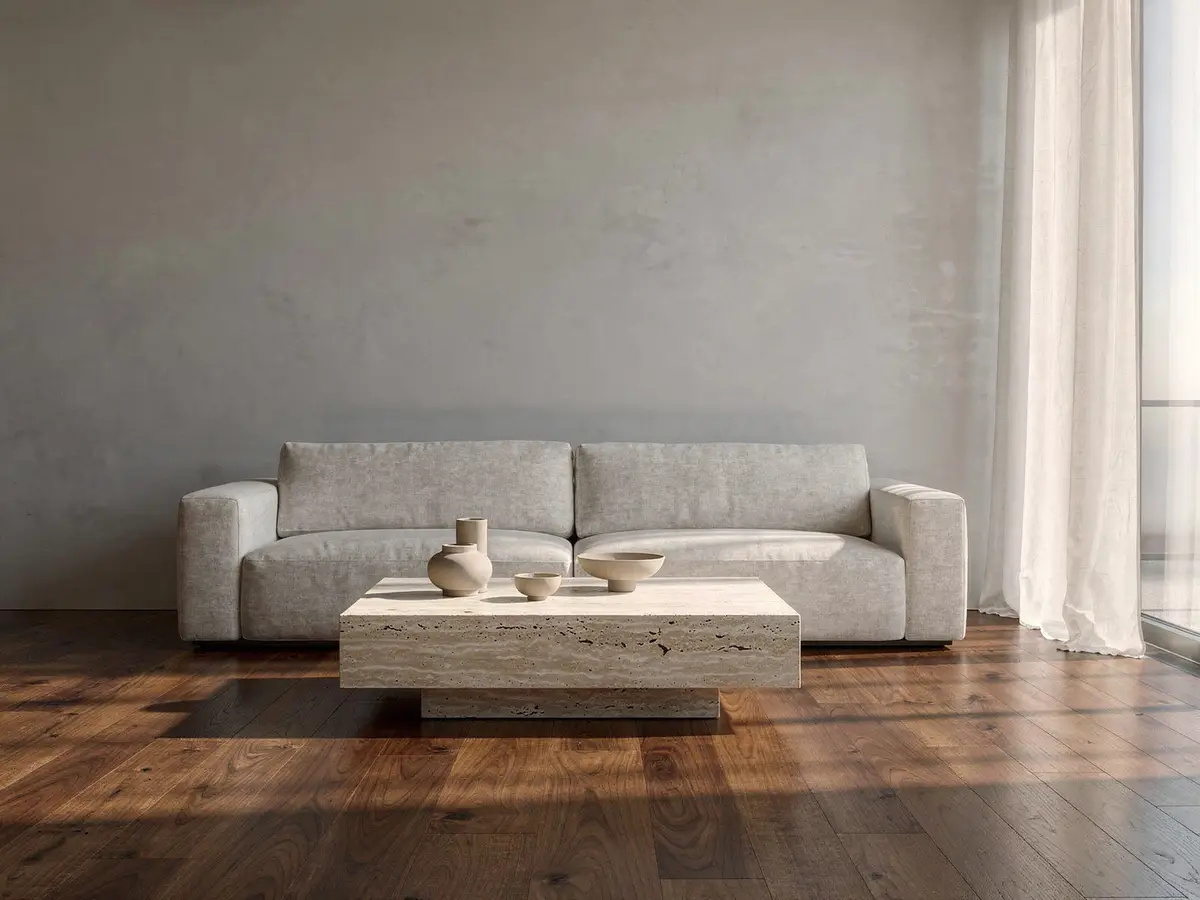
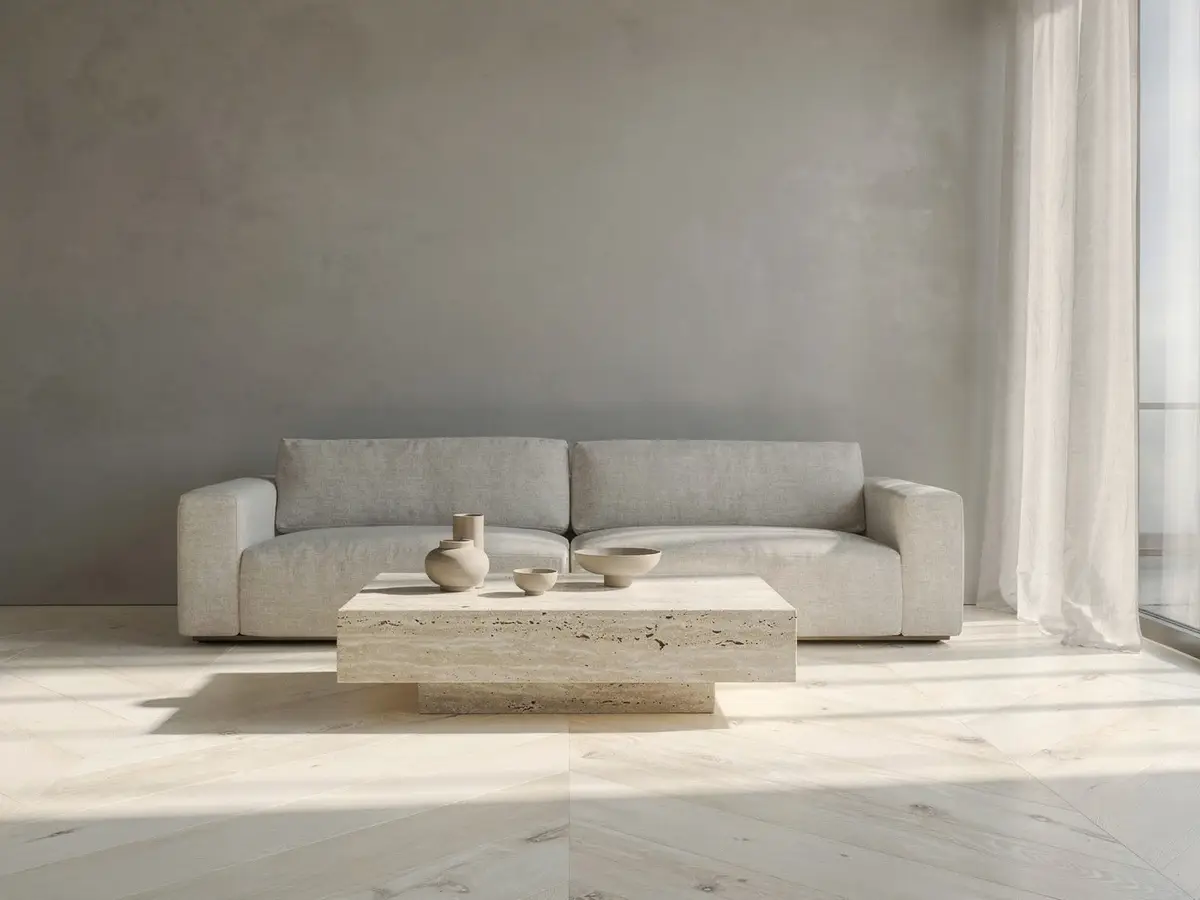
This is one living room, photographed once. Each version below is the visualizer laying a different product in it, with the light, the shadows and the furniture left as they were.
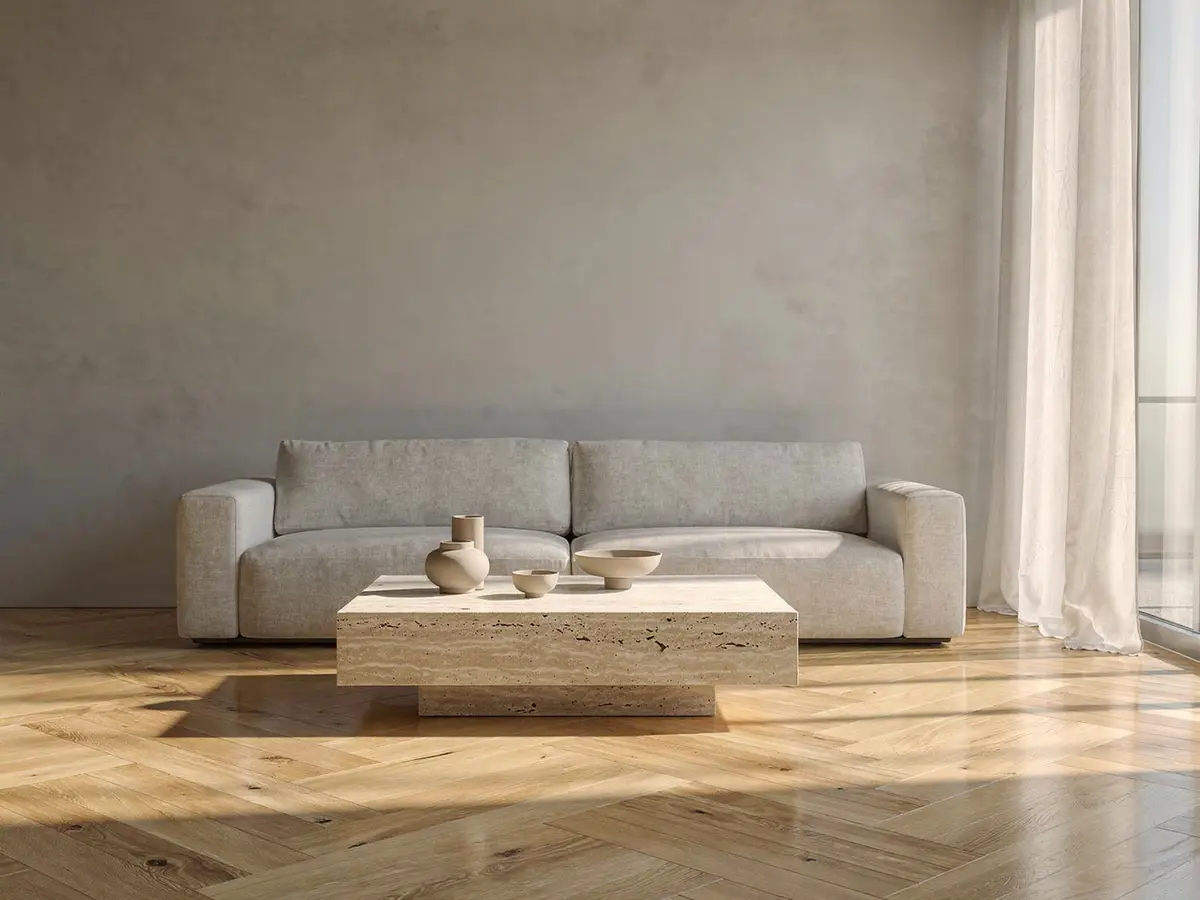
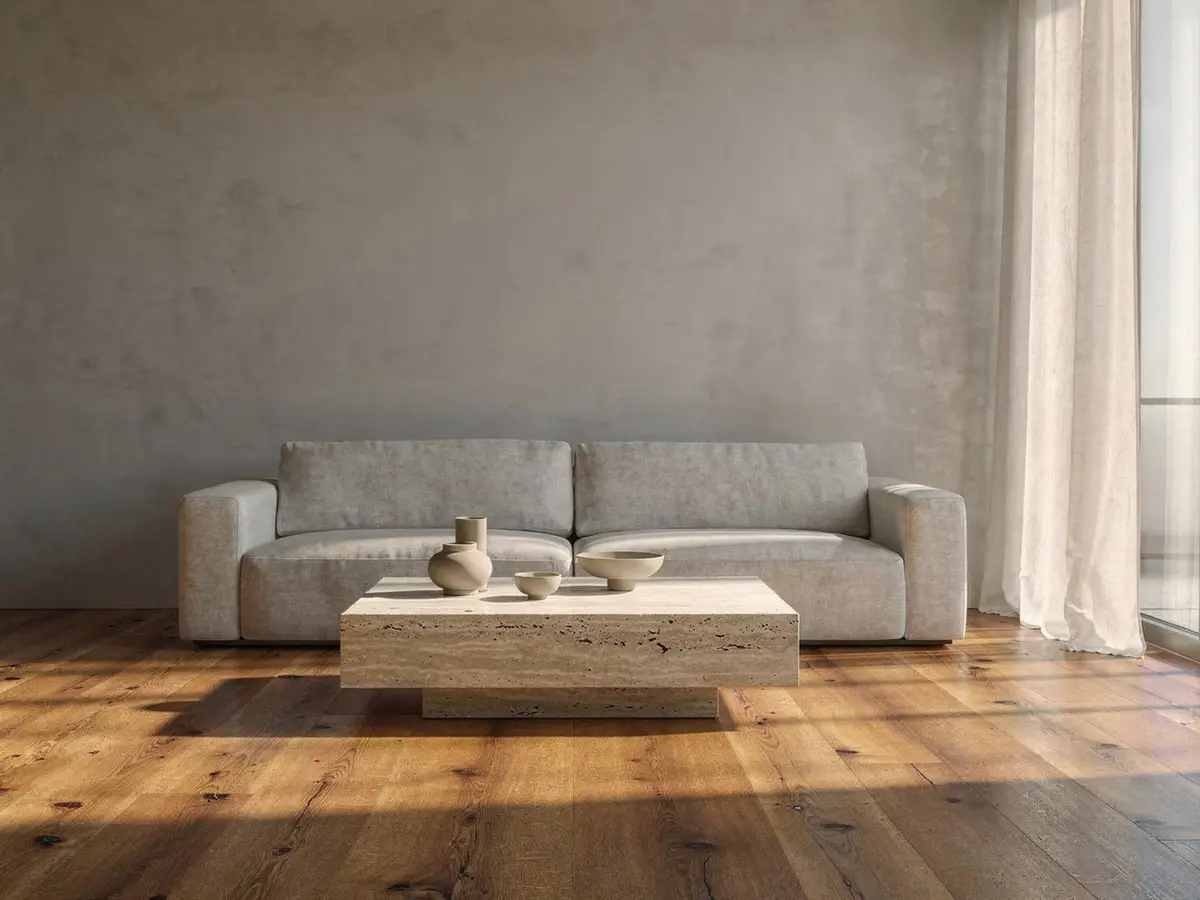
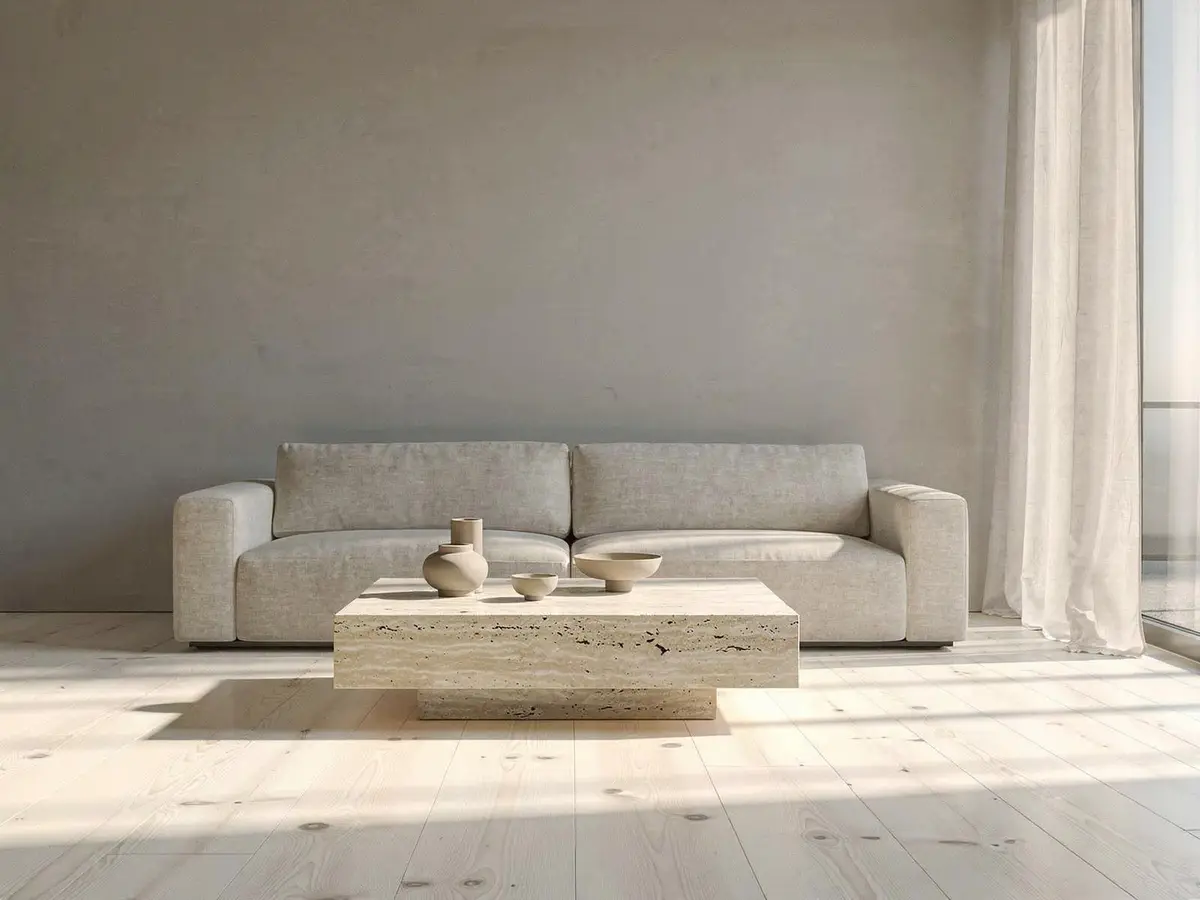
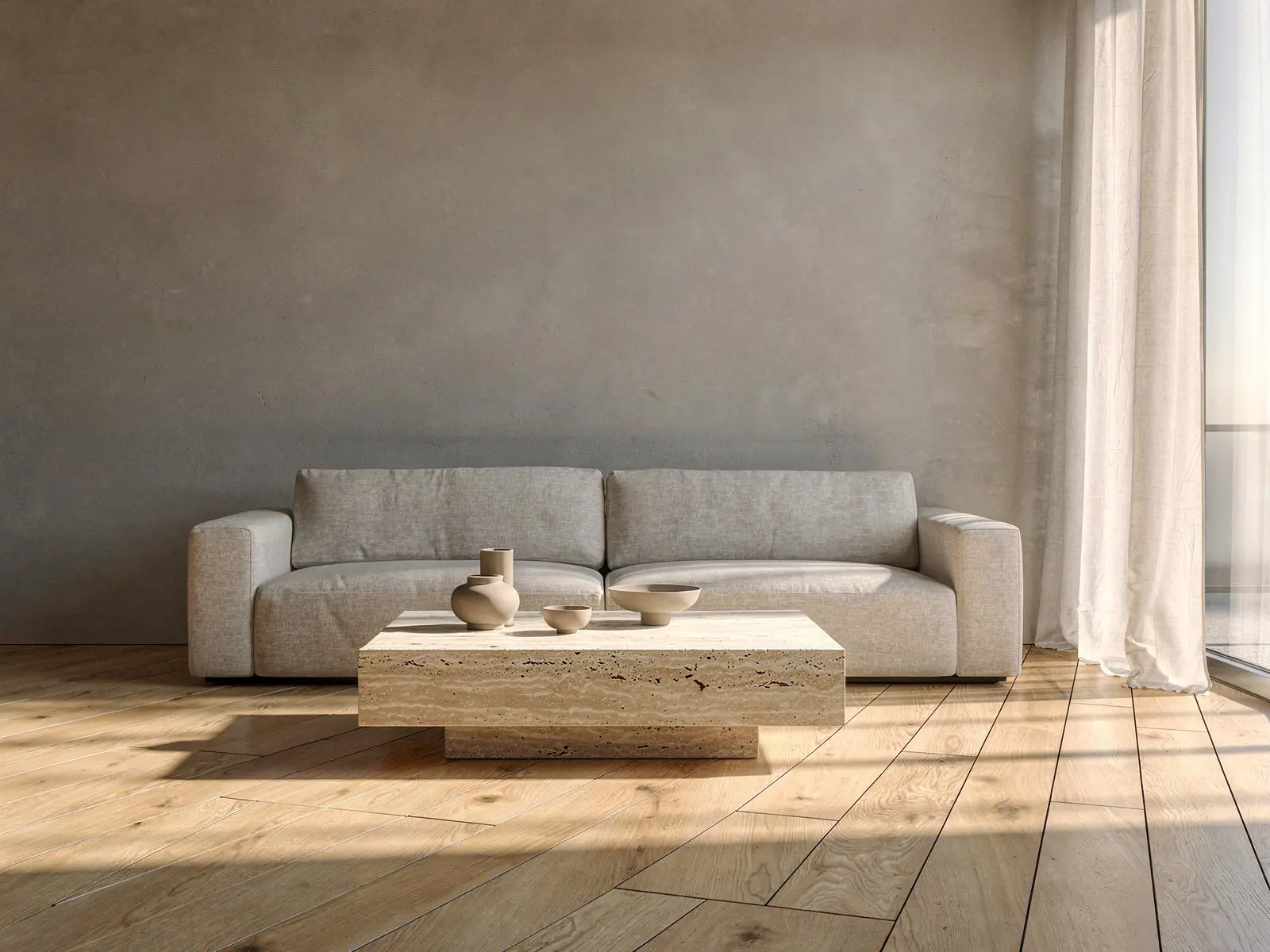
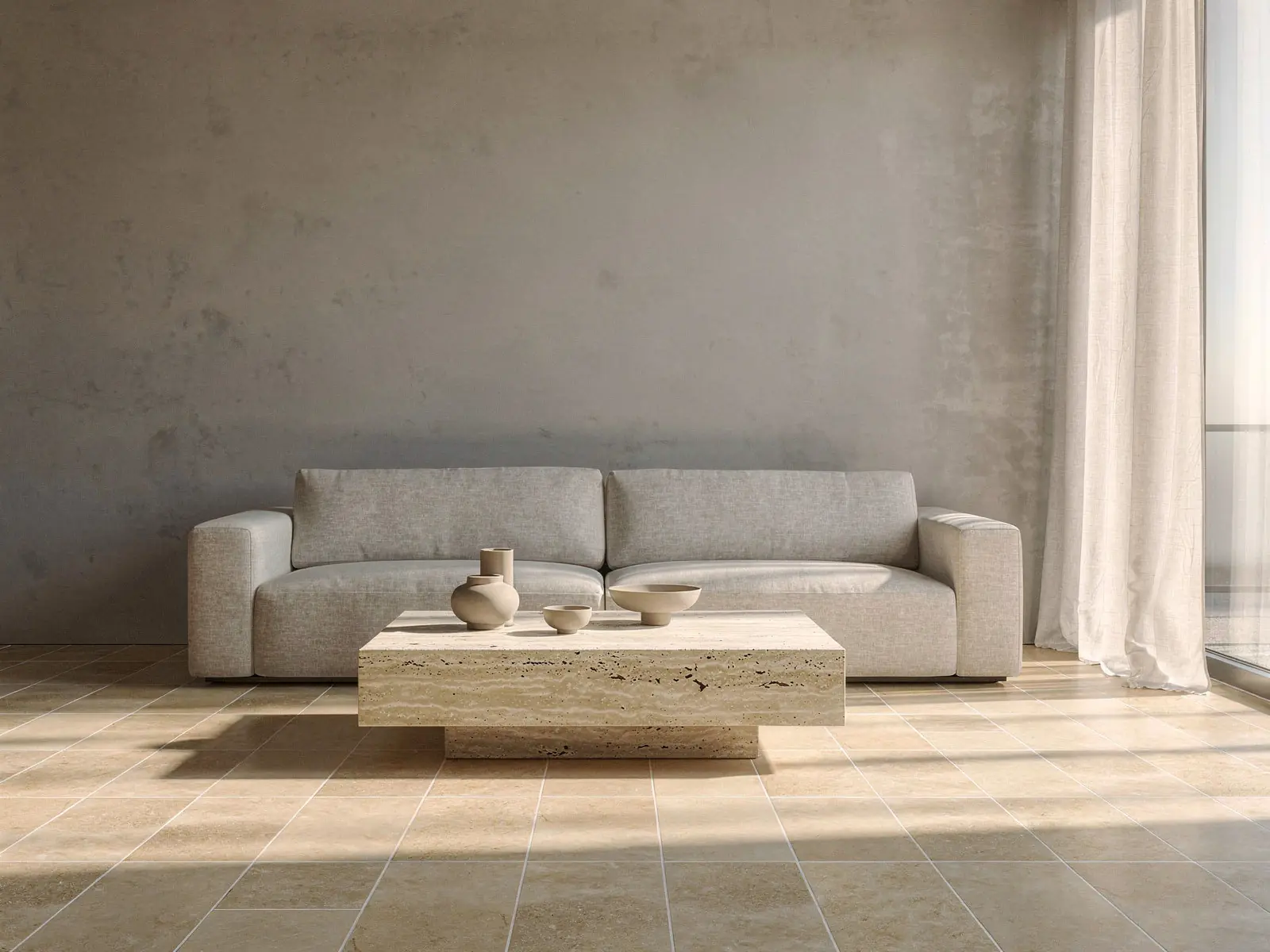
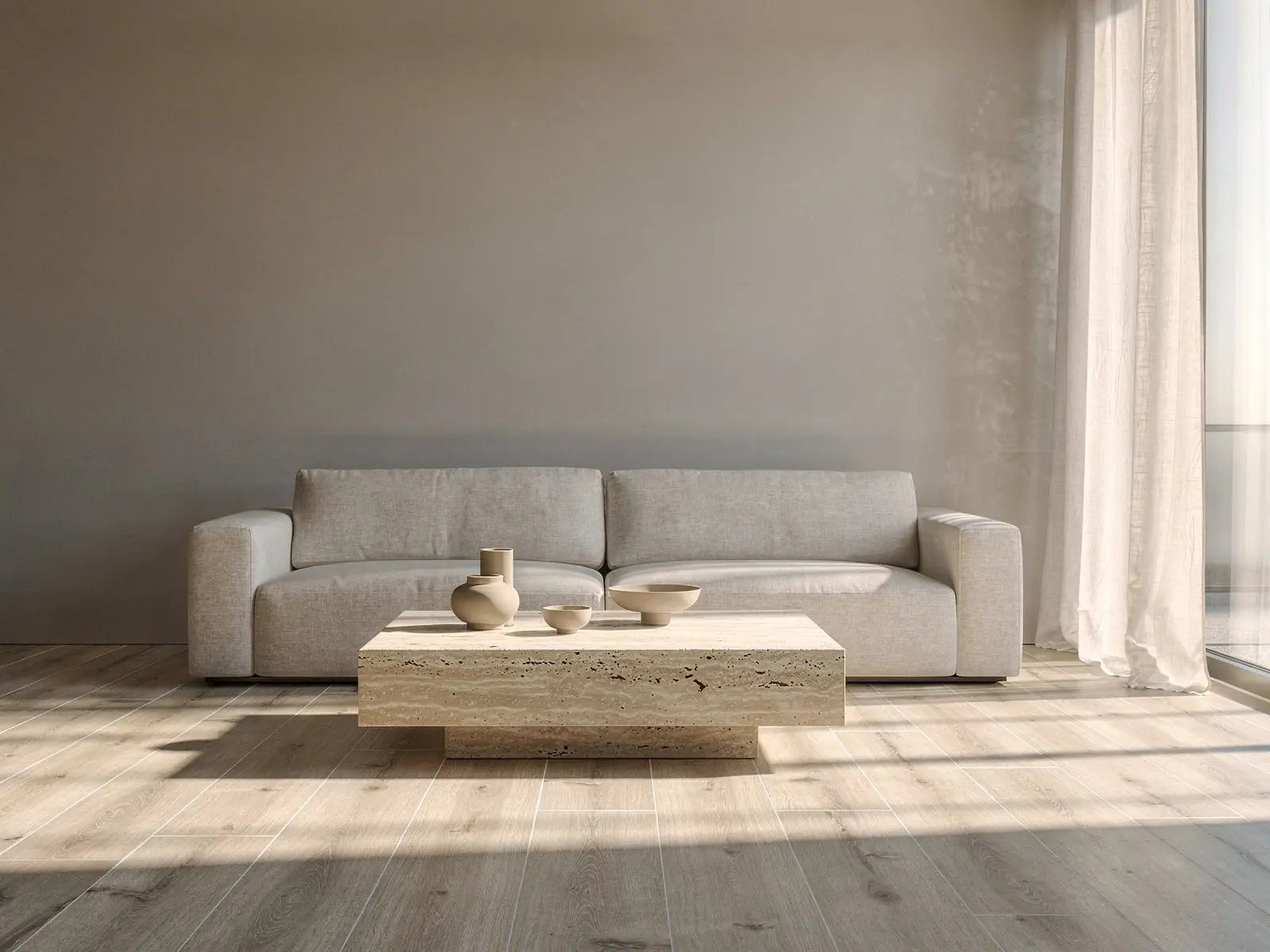
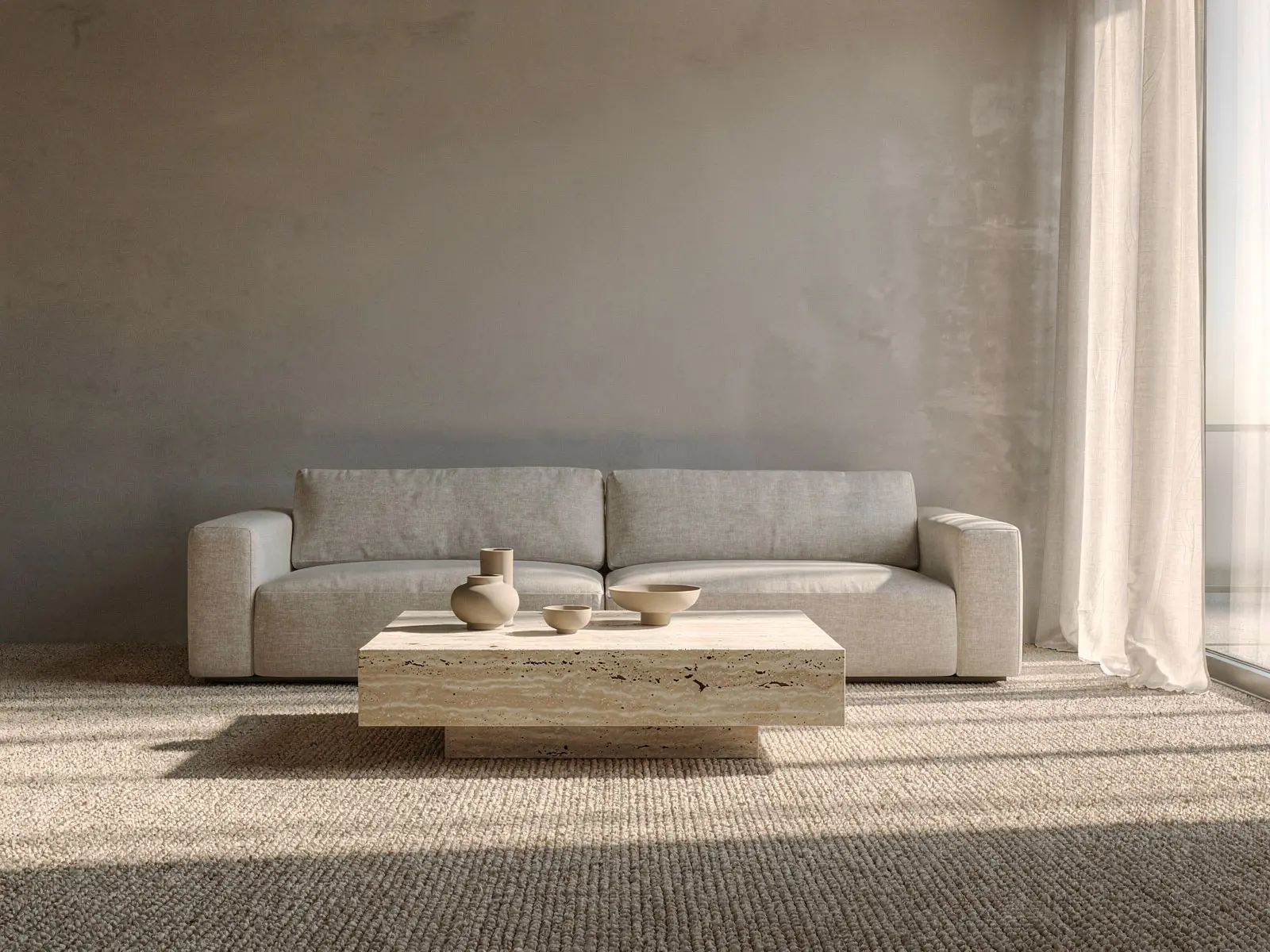
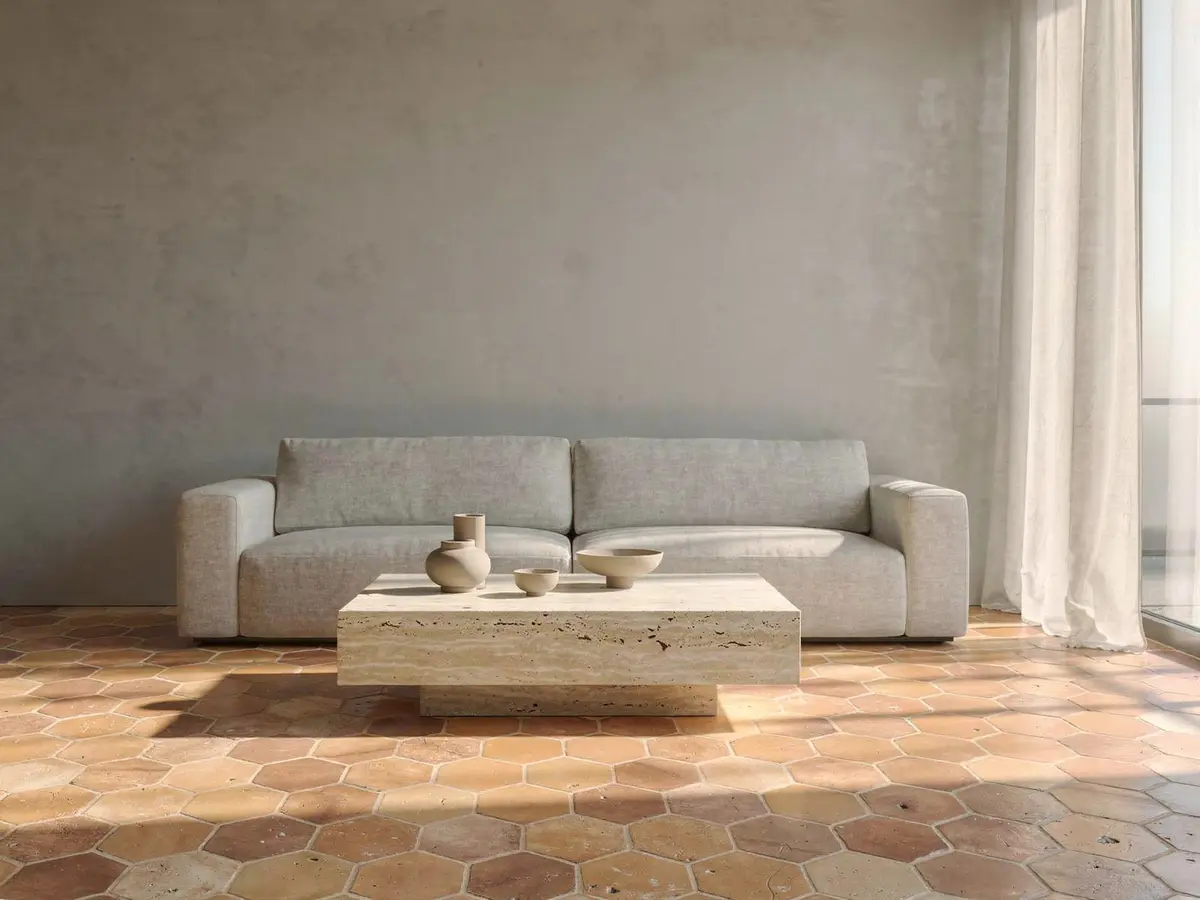
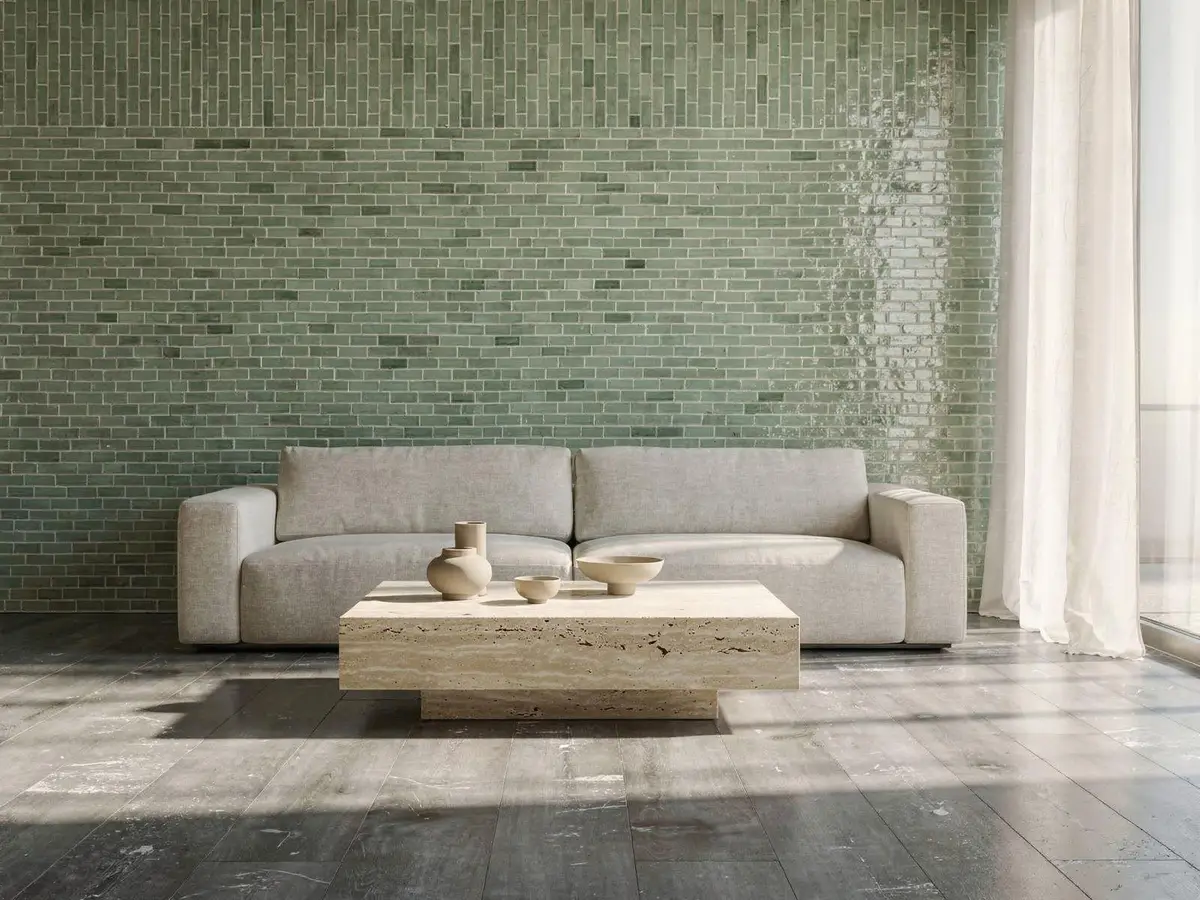
Floors, walls, rugs and furniture, each laid as it is fitted.
A floor follows the room’s perspective, a tile keeps its grout, a rug goes under the sofa, a chair stands at its real size. Each kind of product has its own page.
Floors
Wood, parquet, laminate, vinyl and carpet, straight, diagonal, herringbone or chevron.
- Grout
Tiles
Floor and wall tiles and backsplashes, with the grout colour and the laying pattern.
Paint and wallpaper
Your colours by name and code, and papers at their real repeat, on the wall they pick.
- 160×230200×300250×350
Rugs
At the size they would order, moved and turned under their own furniture.
- 3D
Furniture in 3D
Sofas, chairs and tables from your 3D models, with every fabric switched in place.
- 74 × 82 cmScan for AR
AR on the phone
The same product in their space through the camera, on iPhone and Android, with no app.
Everything they need to decide at home.
The visualizer opens from your product page, in your colours, with only your products in it.
- Show it in your own roomUse a photo of my roomor drop it hereContinue on my phoneNo photo to hand? Try one of oursTheir room or one of ours
A photo from the sofa, or a room to borrow.
Shoppers upload a photo of their room, take one with their phone by scanning a code, or pick a demo room when they are not at home. The floor and walls are found in a few seconds.
- Any photo from any phone
- Continue on the phone by QR code
- Living rooms, kitchens, bathrooms and bedrooms to borrow
 1st choice2nd choice
 Save and share Download CompareCompare
Two choices, one line between them.
The shopper keeps a first and a second choice and drags across the room to compare them. When they have decided, they save the room, download it or send a link to whoever else has a say.
- Oak herringbone 14mmSelect a variant (4)Size90 × 600 mm120 × 720 mm150 × 900 mmPatternHerringboneChevronStack bondBricksHexagonalFinishMatteSatinGlossyVariants, sizes, patterns
Every option you sell, tried in place.
Colours, plank and tile sizes, laying patterns, grout and finishes come from your catalogue. Changing one does not start the room again: the product already laid simply changes.
- Estimated size · FloorEstimated from your photo. Tap to correct it.about 24 m²CartOak herringbone 14mm12 boxes · 25.9 m²$1,502Oak skirting 70mm9 lengths$162CheckoutRequest a quoteCart and quote
From the room to the cart, with the right quantity.
The surface is measured from the photo and the shopper can correct it. Your pack sizes turn that into boxes or rolls, which go into your cart, or into a quote request when the order needs a conversation.
On the phone in their hand, too.
Most shoppers find you on a phone. The visualizer works there as it does on a computer, and furniture opens in AR through the camera.
Every room tried tells you something.
What shoppers tried, compared and asked for comes back to your workspace. The rooms themselves stay with the shopper.
- The workspace
Visits, products tried and what they led to.
See how many shoppers used the visualizer, which products they tried most, how long they stayed and how often a try ended in the cart. By product, by page and by device.
- Top products by views and conversion
- Uploads, compares and product changes
- Shoppers in the visualizer right now
- Requests from the visualizerThis week · 38claire.martin@mail.comQuote · Oak herringbone, 26 m²10:42lucas.b@mail.comDesign sent · Sage zellige 5x1509:15anna.k@mail.comQuote · Wool berber rug 200×300Yesterdaydaniel.r@mail.comQuote · Terracotta hexagon, 9 m²YesterdayRooms shoppers upload stay private to them.Requests
Quote requests, with what they want.
A shopper who asks for a quote, or for their design by email, arrives as a request with their email, the products and the quantity. Never with their room: that stays private to them.
- Performance Analyst · this morningSmoked oak plank was tried in 412 rooms this month, second only to herringbone. It has no ad running and no post planned.Plan a post and an adSee the numbersYour AI team
Read by your agents, turned into work.
Your agents read the visualizer with your sales, your ads and your search. A floor tried in four hundred rooms with no ad behind it becomes a proposal for you to approve.
Meet the team
One script, on Shopify and every other platform.
The same script adds the visualizer and every other on-page module. Nothing to install for the shopper.
- 01Oak herringbone 14mmFloorSage zellige 5x15WallAtlas berber rugRug
Bring your catalogue
Connect your shop or import a file. Products arrive with their pictures, sizes and prices, and each is prepared to be laid in a room.
- 02theme.liquid, or any page<script src="cdn.ardealy.com/sdk.js"
data-shop="yourstore"></script>Add one script
Paste it once, or install it from your platform. Choose the pages, the button and the wording from the workspace.
- 03Oak herringbone 14mm$58 / m²See it in your room
Shoppers try it at home
A button on each product page opens the visualizer with that product already in the room.
- Script for every on-page module
- 1
- Platforms, and any page you can add a script to
- 9 + HTML
- Languages: English, French, Spanish, Arabic
- 4
- Credits used per shopper session
- 0
Script for every on-page module
Platforms, and any page you can add a script to
Languages: English, French, Spanish, Arabic
Credits used per shopper session
Their room stays theirs.
- Before you upload your photo
- Your photo is used only to create your visualization. It is not used to train any AI model.
- It is stored so you can come back to your room, and deleted automatically after 90 days. You can delete it yourself at any time.
- It is never shown to this brand or to any other customer.
CancelAgree and uploadShoppers are told plainly, before they upload.
A photo is used to make that shopper’s visualization and nothing else. It is not used to train AI models and is never shown to you or to other shoppers. It is kept so they can come back to their room, then deleted after 90 days, or whenever they choose.
- Not used to train any AI model
- Never shown to the shop
- Deleted after 90 days, or on request
About the visualizer
Something else? Ask us directly.
Which products can the visualizer show?
Floors (wood, parquet, laminate, vinyl, carpet, floor tile), walls (paint, wallpaper, panels, wall tile), backsplashes, rugs, and furniture from 3D models, which also open in AR on a phone. Kitchens and bathrooms work through their floors, walls and furniture. If you sell something else for the home, ask us and we will tell you plainly whether it looks right.
Does it work on Shopify, WooCommerce and other shops?
Yes. One script adds it to Shopify, WooCommerce, Magento, PrestaShop, BigCommerce, OpenCart, Wix, Squarespace and Drupal, or to any HTML page. Your catalogue is connected from the shop or imported from a file.
What if the shopper has no photo of their room?
They can pick one of the demo rooms, or scan a QR code to take a photo with their phone and carry on at the computer. The room appears on the computer as soon as it is taken.
What happens to the photos shoppers upload?
A photo is used only to make that shopper’s visualization. It is not used to train AI models, it is not shown to you or to other shoppers, and it is deleted after 90 days, or sooner if the shopper deletes it. You see what was tried and requested, not the room.
Is the visualizer charged per shopper session?
No. Shopper sessions are unlimited on every plan and never use AI credits. Credits are spent by the agents, for example on new product images or an analysis.
Can we buy the visualizer on its own?
No. Every plan includes all of Ardealy, because the visualizer is most useful when your agents read what shoppers tried and act on it: which products to promote, which pages to improve, which requests to follow up.
Which languages does it speak?
English, French, Spanish and Arabic, set per site or following the shopper’s browser.
Works with the rest of Ardealy
Everything is in every planSee your own products in a real room.
Send us a product page. We set the visualizer up on it before we meet, so the first thing you see is your product in a shopper’s room.